
Download Designer Clone AI – AI‑Powered Stock Imagery for Faster Design
Overview of Designer Clone AI
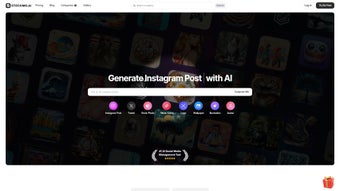
Designer Clone AI is a cloud‑native design accelerator that blends cutting‑edge artificial intelligence with a massive, royalty‑free image library. The service is built for a wide spectrum of creators—from solo freelancers and small‑business marketers to large agencies handling dozens of campaigns simultaneously. By analyzing the text, color palette, and visual style you provide, the AI engine surfaces highly relevant photos, vectors, and illustrations in real time, cutting the time spent on manual stock‑photo searches by up to 70 %.
The platform is delivered as a SaaS product, which means you never need to install bulky software; a modern browser is all that’s required. Subscriptions grant unlimited downloads, and the library grows daily thanks to contributions from professional photographers, graphic artists, and AI‑generated content pipelines. Beyond the core asset pool, Designer Clone AI offers a robust educational hub that publishes weekly design‑trend reports, how‑to guides, and case studies that help users stay ahead of visual‑communication standards.
A responsive support team is reachable via live chat, email, and a community forum, ensuring that any technical or billing questions are resolved quickly. With active social channels on Twitter, Instagram, and LinkedIn, users receive real‑time updates about new feature rollouts, seasonal image packs, and limited‑time discount offers, fostering a vibrant, user‑centric ecosystem.
Key Features that Power Your Creative Workflow
- AI‑Driven Image Matching: The engine parses your design brief, keywords, and hex‑coded colors to suggest the most relevant assets within seconds.
- Ever‑Expanding Library: Over 12 million high‑resolution photos, vectors, and illustrations, refreshed daily with new uploads from partner contributors and AI generators.
- One‑Click Export: Download assets in PNG, JPEG, SVG, or WebP at any resolution without watermarks, and choose the appropriate licensing tier automatically.
- Smart Collections & Mood Boards: Organize favorites into custom folders, tag them for future retrieval, and share collections with teammates or clients.
- Native Plugins for Design Tools: Browser extensions for Chrome, Edge, and Firefox, plus dedicated plugins for Figma, Adobe XD, and Canva that inject a “Stock Image” button directly into the canvas.
- Educational Blog & Resource Center: Weekly articles on visual storytelling, AI ethics, and emerging design trends, plus video tutorials and downloadable cheat sheets.
- Affiliate & Referral Program: Earn up to 20 % commission on each new subscriber you refer, with real‑time tracking and payout dashboards.
- 24/7 Support & Community Forum: Live chat, email ticketing, and a vibrant user forum where members share tips, collections, and workflow hacks.
Each feature is engineered to reduce friction in the ideation phase. The AI engine learns from your past selections, gradually refining its suggestions to align with your unique aesthetic preferences. By integrating directly with the tools you already use, Designer Clone AI eliminates the context‑switch of opening a separate tab, allowing you to stay immersed in the creative process. Smart collections function like a living mood board that can be shared across departments, ensuring visual consistency across campaigns. Moreover, the educational hub empowers both novices and seasoned designers to leverage AI responsibly, avoiding generic stock‑photo pitfalls while still benefiting from rapid asset discovery.
Installation, Setup, and Daily Usage – Seamless Across All Platforms
Getting Started – No Traditional Download Required
Designer Clone AI is delivered entirely through the web, so there is no heavy installer to manage. Visit designerclone.ai, click “Start Free Trial,” and register using an email address or single sign‑on via Google or Apple. After confirming your email, you can select a monthly or annual subscription—both include a 14‑day risk‑free trial with full feature access.
Configuring Your Workspace for Maximum Efficiency
Upon first login, an onboarding wizard guides you through a quick setup: choose your primary design domains (social media, e‑commerce, print, etc.), input preferred brand colors, and optionally import existing assets from Google Drive or Dropbox. This information feeds the AI engine, enabling it to pre‑filter results as soon as you launch a new project. The “My Collections” tab lets you create folders, set privacy levels, and invite collaborators via email, with granular permission controls (view‑only or edit).
Browser Extensions and Plugin Integration
For designers who want tighter integration, download the free Chrome, Edge, or Firefox extension from the respective web store. Once installed, a small “Designer Clone AI” icon appears in your toolbar. Clicking the icon opens a side panel where you can type keywords or paste a hex color code; the AI instantly surfaces matching assets. In Figma, Adobe XD, or Canva, enable the official plugin from each marketplace. After authenticating with your Designer Clone AI account, a “Stock Image” button appears on the design canvas, letting you insert assets without leaving the editor.
Compatibility Across Devices and Operating Systems
Because the core service is web‑based, it works on any modern browser, making it compatible with Windows 10/11, macOS Ventura and later, Chrome OS, as well as mobile browsers on Android 12+ and iOS 15+. The optional extensions support Chrome, Edge, and Firefox, while the design‑tool plugins are available for both Windows and macOS versions of Figma, Adobe XD, and Canva.
Maintaining Your Account and Staying Updated
All AI model updates and image‑library expansions are handled server‑side, so you always work with the latest technology without manual patches. Subscription changes, billing details, and usage analytics are managed through the “Account Settings” page. If you decide to cancel, your collections are retained for 30 days, giving you a grace period to export any assets you wish to keep.
Pros, Cons, and Frequently Asked Questions
Pros
- AI‑powered image suggestions cut research time by up to 70 %.
- Unlimited downloads with a single subscription—no per‑image fees.
- Deep integration with leading design tools via native plugins.
- Constantly refreshed library keeps visual content fresh and relevant.
- Comprehensive educational resources help users maximize AI benefits.
- Cross‑platform compatibility ensures you can work from any device.
Cons
- Requires an active internet connection; no offline mode.
- Subscription price may be higher than one‑off stock‑photo purchases for occasional users.
- Advanced AI customization (e.g., custom style training) is limited to Enterprise plans.
- Browser extensions may be restricted in corporate environments with strict IT policies.
FAQ – Your Questions Answered
Can I use the images for commercial projects?
Yes. Every image in Designer Clone AI’s library includes a royalty‑free commercial license, allowing unrestricted use in ads, client work, product packaging, and more.
Is there a free version or trial?
A 14‑day free trial is available for new users, granting full access to the image library and all AI features. After the trial, you can choose a monthly or annual paid plan.
How often are new images added?
Thousands of new photos, vectors, and illustrations are added daily from partner photographers and AI‑generated pipelines, ensuring the collection stays current.
Can I share collections with team members?
Absolutely. Collections can be marked as “Shared” and invited teammates via email, with permission settings for view‑only or edit access.
What support channels are available?
Support is provided through live chat, email ticketing, and a community forum. Premium subscribers receive priority response times and a dedicated account manager.
Conclusion & Call to Action
Designer Clone AI stands out as a modern, AI‑driven solution for designers who want to eliminate endless scrolling through generic stock‑photo sites and replace it with intelligent, context‑aware imagery. By unifying rapid AI suggestion technology, a massive and continuously refreshed asset library, and deep integrations with the tools designers already love, the platform delivers measurable time savings and a noticeable uplift in creative quality. While the subscription cost may be a consideration for occasional hobbyists, the productivity gains for agencies, marketing teams, and freelance professionals are compelling. If you’re ready to accelerate your design workflow, reduce licensing headaches, and stay on the cutting edge of AI‑enhanced creativity, click the button below to start your free trial and experience Designer Clone AI firsthand.
Overall Rating: 4.5 / 5



.png)



